

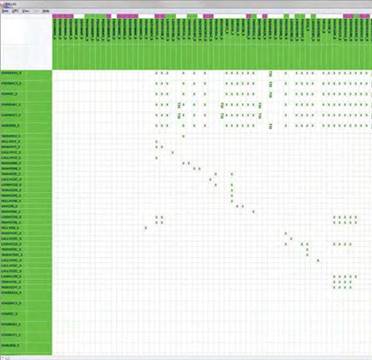
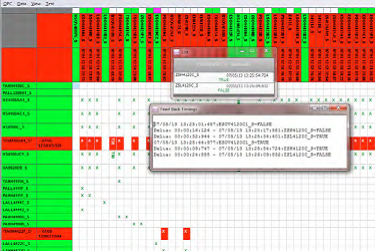
PALLAS is a live Cause & Effect Matrix viewer for onsite Cause & Effect verification and alarm logging.
PALLAS connects to a logic solver via a non intrusive read only OPC interface, and uses C&E data from CERES or from PALLAS designer to display the status of system inputs, outputs and intersects.
PALLAS records the Alarm and Event data which allows PALLAS to act as an Alarm Logger.
The main feature of PALLAS is the live viewing of a C&E Matrix as alarms and events occur in the system being monitored. Causes will be highlighted as they happen and any corresponding Effects which are initiated in the SIS by the input change are monitored and compared to the C&E Chart for the system.
The comparison between live data with the system C&E Charts allows for a clear understanding of how the system operates with regards to Cause and Effect, it also offers an immediate insight into problems or faults within the system or C&E Charts.
Logs are kept by PALLAS of every event which happens in the system therefore offering a view of historical data and logging of data up to the exact moment of any potential problems or shutdowns
These events are stored locally on the PALLAS PC allowing for access to historical event data.
When a system input transitions to a tripped state, the input is flagged as tripped on the input section of the Cause & Effect matrix.
PALLAS also monitors the system outputs highlighting when the outputs transition to trip.
If input and output correspond based on the defined Cause & Effect information, the appropriate intersect will be highlighted as tripped.
If there is any discrepancy between input and output, either an unsuccessful trip or an un-expected trip, the intersect field will be highlighted as failed.
The colours displayed on the matrix are user configurable allowing PALLAS to conform to end user requirements.
Numerous feedback signals can be declared for each output and the ‘healthy’ and ‘tripped’ feedback states must be declared.
Using this information, an output discrepancy is flagged and logged when the feedback signals disagree with the output state.
This feature acts as a record for end-to-end testing of system and elements.
Using the feedback signals, output timing can be measured allowing for the open/close times of valves etc to be recorded.
PALLAS calculates the time between the system output state change and the feedback signal confirmation.
These time values are logged and allows for access to a large number of timing data. This data can be used to monitor valve health and to assist in valve maintenance
Using the time stamped data, PALLAS can replay in ‘real time’ or step by step the shutdown occurrence highlighting first up inputs and allowing operation personnel to identify the cause and the shutdown quickly and efficiently, allowing for quicker plant recovery.
The log files can be extracted from the on-site PALLAS PC and transferred to any other PALLAS PC allowing for data to be analysed by off site personnel, including maintenance, management and governing bodies.
Click below to find out more about our CERES and VESTA softwares

